Firebase vs Supabase vs Convex (2025): Which Backend Should You Choose?
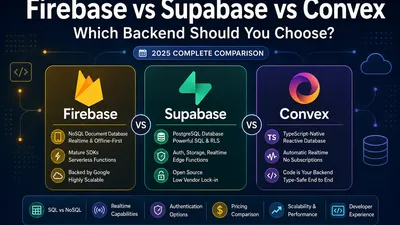
Compare Firebase, Supabase, and Convex across database architecture, real-time features, authentication, pricing, developer experience, scalability, and vendor lock-in to choose the right Backend-as-a-Service for your next project.
Note: This comparison focuses on managed cloud BaaS platforms. Self-hosted options like PocketBase, Appwrite, and Parse are excellent alternatives but solve a slightly different problem.
The 10-Second Elevator Pitch
- Firebase: Google’s proprietary, NoSQL document database (Firestore). Unmatched for rapid mobile development, offline-first sync, and mature SDKs, but notorious for vendor lock-in and painful relational modeling at scale.
- Supabase: The "Open Source Firebase Alternative." Built on PostgreSQL. Gives you the full power of SQL, Row Level Security (RLS), and auto-generated APIs, with significantly lower vendor lock-in than proprietary BaaS platforms.
- Convex: The modern, type-safe reactive database. Your backend is your TypeScript code. Queries are functions that automatically update the UI in real-time.
Decision Flowchart
graph TD
    Start[Need a Backend?] --> Q1{Need SQL & Relational Data?}
    Q1 -->|Yes| Supabase
    Q1 -->|No| Q2{Need Offline-First Mobile?}
    Q2 -->|Yes| Firebase
    Q2 -->|No| Q3{Need Realtime Collaboration & TS?}
    Q3 -->|Yes| Convex
    Q3 -->|No| Supabase

    style Supabase fill:#3ECF8E,color:#fff
    style Firebase fill:#FFCA28,color:#000
    style Convex fill:#4B0082,color:#fff
1. Data Modeling & Database Architecture
This is the biggest differentiator. How does each platform store your data?
Firebase (Cloud Firestore)
A NoSQL document database. Data is stored in collections and documents (JSON).
* The Good: Incredibly flexible. Schema changes just mean adding new JSON fields. Supports robust querying including compound indexes, collection group queries, where, orderBy, pagination, and aggregation queries such as count().
* The Bad: No joins. If you want to fetch a User and their 10 recent Orders, you have to make multiple round-trip queries or denormalize (duplicate) the data. Its real weakness isn't simple filtering, but complex relational modeling, analytics, and reporting.
Supabase (PostgreSQL)
A true relational PostgreSQL backend.
* The Good: You get the full power of SQL. Joins, foreign keys, transactions, and complex aggregations are native. Because Supabase is PostgreSQL, you also gain access to the broader Postgres ecosystem, including extensions like pgvector for AI workloads, PostGIS for geospatial data, and full-text search.
* The Bad: You need to understand database design. However, Supabase automatically generates REST and client APIs on top of PostgreSQL through PostgREST, while also providing Storage, Realtime, and Edge Functions. Many developers never write raw SQL beyond their initial migrations.
Convex (Reactive Document Store)
Convex doesn't use SQL, and it's important to clarify that it is not a relational database. It stores documents. You define your schema in TypeScript, but you query it using TypeScript functions. * The Good: No SQL strings to write. Fully type-safe from database to frontend. * The Bad: Because it lacks foreign keys, joins, and a SQL planner, relationships are implemented manually inside query functions. Like any document database, good index design is important for query performance, and Convex encourages defining indexes explicitly for efficient access patterns. You must learn the Convex functional paradigm to structure your data access.
2. Real-time & Synchronization
All three do real-time, but they do it very differently.
- Firebase: Real-time is in its DNA. You snap a listener onto a document, and the frontend updates instantly. It handles offline persistence flawlessly for mobile apps.
- Supabase: Since 2024–2025, Supabase Realtime has become significantly better. Using Postgres Logical Replication to stream changes to the client via WebSockets, it is perfectly adequate (and often excellent) for many SaaS apps. The gap between Supabase and Convex here is smaller than it used to be.
- Convex: Convex offers the most seamless reactive programming model of the three. It is reactive by default. When you run a query on the frontend, Convex caches it. If any data touched by that query changes on the backend, Convex automatically re-runs the query and pushes the new result to the UI. You don't write subscription code; it just happens.
3. Backend Logic & Serverless Functions
How do you run server-side code (charge a credit card, send an email, process a webhook)?
- Firebase: Cloud Functions. You write Node.js, Python, or Go. Historically, Firebase suffered from severe cold starts, but with Cloud Functions Gen 2, Cloud Run, and minimum instances, this issue has been dramatically reduced.
- Supabase: Edge Functions. Written in TypeScript/Deno and built on a V8 isolate runtime similar to other modern edge computing platforms. Pros: Designed for very low cold-start latency thanks to edge execution. Cons: Limited to the Edge runtime (no native Node.js modules like
fs). - Convex: Functions are the backend. There are no separate "Edge Functions" to deploy. Your queries, mutations, and actions run securely on Convex's infrastructure. Because it's all TypeScript, your frontend and backend share types seamlessly.
4. Authentication
Authentication is a major reason teams choose a BaaS. All three handle the basics well, but with different scopes.
| Feature | Firebase | Supabase | Convex |
|---|---|---|---|
| Email/Password | ✅ | ✅ | Via providers |
| OAuth | ✅ | ✅ | Via auth integrations |
| Anonymous | ✅ | ✅ | Possible |
| Enterprise SSO | Limited | Good | Depends on provider |
Supabase and Firebase have first-class, deeply integrated auth systems. Supabase Auth also supports enterprise-friendly features such as multi-factor authentication, magic links, and JWT-based authorization. Convex relies on integrations (like Clerk or Auth0) which are powerful but require an external provider setup.
5. Pricing: The Firebase Nuance
Pricing architecture often dictates the long-term viability of a startup.
- Firebase: Pays per document read/write. This gets a bad reputation as "The Firebase Trap," but context matters. Firestore is actually extremely inexpensive for admin dashboards, CRUD apps, internal tools, and moderate traffic. Costs become problematic specifically for social feeds, chat, infinite scrolling, and high-frequency listeners where read amplification explodes.
- Supabase: Pricing is based on compute instances, database size, and bandwidth. You aren't penalized for querying your own database. This makes scaling costs much more predictable for high-read applications.
- Convex: Pricing is based on "Function Evaluations" (how often your queries/mutations run). Like Supabase, it doesn't penalize you per row read, but costs can scale up if you have highly chatty reactive queries that re-run frequently.
6. AI-Assisted Development
In 2025, how a backend interacts with modern AI coding assistants is a major productivity factor.
- Supabase: SQL generation works exceptionally well with LLMs. AI assistants are great at writing migrations, RLS policies, and complex joins. Supabase also benefits from SQL being a mature language that LLMs have seen extensively during training.
- Convex: Offers a strong end-to-end TypeScript experience. AI assistants handle the functional data access patterns effectively, keeping types perfectly in sync.
- Firebase: The APIs are simple for AI to generate, but NoSQL data modeling and complex Firebase Security Rules often require more careful prompting and architectural oversight to get right.
7. Vendor Lock-in & Migration
- Firebase: Extreme lock-in. Your data is locked in Google's proprietary NoSQL format. Migrating means writing custom scripts to export and reshape all your JSON data.
- Supabase: Minimal vendor lock-in. Supabase is open-source and can be self-hosted, making it attractive for teams with compliance requirements or those wanting complete infrastructure control. Because Supabase uses standard PostgreSQL, applications can generally migrate to any managed or self-hosted PostgreSQL deployment with relatively little database-layer change.
- Convex: High lock-in for the database, but with a silver lining. Your backend code is just TypeScript. While you must replace Convex's database API (
ctx.db) to migrate, most of your core business logic can often be reused.
| Migrating From | Difficulty |
|---|---|
| Firebase → Supabase | High |
| Firebase → Convex | High |
| Supabase → Postgres | Very Easy |
| Convex → Supabase | Moderate–High |
8. Ecosystem & Community
One thing experienced engineers consider is ecosystem maturity, which impacts hiring, documentation, community support, and third-party integrations.
| Platform | Ecosystem |
|---|---|
| Firebase | Extremely mature |
| Supabase | Large and growing rapidly |
| Convex | Smaller but fast-growing |
9. Developer Experience (DX)
Developer experience often determines actual day-to-day productivity.
| Platform | Developer Experience |
|---|---|
| Firebase | Easy to start, harder at scale |
| Supabase | Familiar for SQL developers |
| Convex | Excellent if you like TypeScript |
Learning Curve: Firebase < Supabase < Convex. Firebase lets you just start writing to documents. Supabase requires some SQL schema thinking. Convex requires learning a reactive functional paradigm.
10. Scalability
Understanding how each platform scales under load is crucial for long-term planning.
| Platform | Scaling Model |
|---|---|
| Firebase | Automatic (Serverless) |
| Supabase | Managed Postgres scaling |
| Convex | Automatic function scaling |
Firebase scales almost indefinitely provided your data model and indexes are designed appropriately. Supabase scales like PostgreSQL (vertical scaling, read replicas, partitioning if needed). Convex automatically scales compute, but workload characteristics affect pricing and throughput.
11. Side-by-Side Code Comparison
The best way to understand the DX of these platforms is to see them in action. Here is how you would implement a real-time chat feature (creating a message and listening for new ones) in all three.
Firebase (React)
import { db } from './firebase';
import { collection, addDoc, onSnapshot, query, orderBy } from 'firebase/firestore';

// 1. Send a message
const sendMessage = async (text) => {
  await addDoc(collection(db, 'messages'), {
    text,
    createdAt: Date.now()
  });
};

// 2. Listen for messages in real-time
useEffect(() => {
  const q = query(collection(db, 'messages'), orderBy('createdAt'));
  const unsubscribe = onSnapshot(q, (snapshot) => {
    const messages = snapshot.docs.map(doc => doc.data());
    setMessages(messages);
  });
  return () => unsubscribe();
}, []);
Supabase (React)
import { supabase } from './supabase';

// 1. Send a message
const sendMessage = async (text) => {
  await supabase.from('messages').insert({ text });
};

// 2. Listen for messages in real-time
useEffect(() => {
  const channel = supabase
    .channel('messages-channel')
    .on('postgres_changes', { event: 'INSERT', schema: 'public', table: 'messages' },
      payload => setMessages(prev => [...prev, payload.new])
    )
    .subscribe();

  return () => { supabase.removeChannel(channel); };
}, []);
Convex (React)
import { useQuery, useMutation } from 'convex/react';
import { api } from '../convex/_generated/api';

// 1. Setup hooks (types auto-generated)
const messages = useQuery(api.messages.list) || [];
const sendMessage = useMutation(api.messages.send);

// 2. Send a message (just call the mutation)
const handleSend = (text) => sendMessage({ text });

// Convex Reactivity Note:
// There is no Step 2 for listening. Because `api.messages.list` is a query,
// the `messages` variable automatically re-renders the component whenever the database changes.
When Not to Choose
Sometimes knowing what to avoid is just as important as knowing what to pick.
Avoid Firebase if... * your application depends heavily on relational queries * reporting and analytics are central * vendor portability is a priority
Avoid Supabase if... * your team has little SQL experience * your data model is entirely document-oriented * you need built-in offline synchronization
Avoid Convex if... * you need PostgreSQL compatibility * you expect frequent backend migrations * your team doesn't use TypeScript
The Verdict: Which should you choose?
Choose Firebase if: You're building a mobile-first product, chat app, or event-driven application where offline sync and mature SDKs matter more than relational queries. It's still the king of offline-first mobile.
Choose Supabase if: You're building a SaaS product, CRM, marketplace, ERP, analytics dashboard, or anything that benefits from SQL, joins, transactions, and long-term portability. It is the safest bet for traditional web applications.
Choose Convex if: Your team is fully invested in TypeScript and you're building collaborative, real-time applications (think Figma, multiplayer games, collaborative tools). If you want a code-first backend where automatic reactivity improves developer productivity, Convex is an exciting approach—though it represents a different architectural model rather than a universal replacement for SQL databases.
If you're unsure, Supabase is the safest default choice for most new web applications because it combines PostgreSQL, predictable pricing, open-source portability, and a mature developer experience. Firebase remains the best option for offline-first mobile applications, while Convex shines for highly interactive TypeScript applications where reactive programming is a core requirement.
Quick Decision Matrix
| If you want... | Choose |
|---|---|
| Fast mobile development | Firebase |
| SQL & long-term portability | Supabase |
| Reactive TypeScript | Convex |
| Lowest vendor lock-in | Supabase |
| Offline-first | Firebase |
| Collaborative apps | Convex |
| Analytics dashboards | Supabase |
| Enterprise SaaS | Supabase |
| Existing PostgreSQL team | Supabase |
Frequently Asked Questions
Is Supabase better than Firebase? Neither is universally "better." Supabase is better for applications requiring relational data, complex querying, and SQL. Firebase is better for mobile apps requiring offline-first synchronization and rapid prototyping without schema constraints.
Is Convex production ready? Yes, Convex is production-ready and used by growing startups. However, it has a smaller ecosystem compared to Firebase and Supabase, and teams must be comfortable with its TypeScript-centric, functional reactive paradigm.
Which backend is cheapest? It depends on your workload. Firebase is very cheap for low-traffic CRUD apps but gets expensive with high-frequency reads (like social feeds). Supabase offers predictable compute-based pricing. Convex pricing scales with function evaluations, making it cost-effective for moderate-traffic apps but potentially pricey for highly chatty real-time queries.
Which backend is best for React? Convex offers one of the strongest developer experiences for React developers thanks to end-to-end TypeScript and automatic reactive hooks. Supabase is also an excellent choice for React, offering a robust JavaScript client.
Which backend is best for Flutter? Firebase is generally the preferred choice for Flutter developers due to its extremely mature, official Flutter SDKs and built-in offline persistence.
Can I migrate from Firebase to Supabase? Yes, but the difficulty is high. Because Firebase is a NoSQL document database and Supabase is relational, migrating requires reshaping your JSON data into relational tables and rewriting your data access logic.