Oracle Cloud Free Tier (2026): The Ultimate Guide to Free Deployment
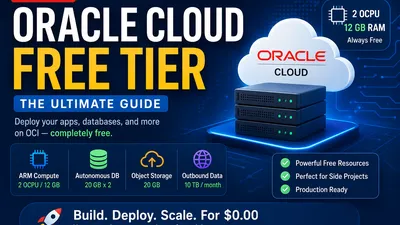
When developers hear "cloud free tier," they usually think of AWS's 12-month expiration or GCP's strict trial credits. Oracle Cloud Infrastructure (OCI) operates by a different philosophy: an "Always Free" tier that is so generously spec'd, many developers run their entire side-hustle production workloads on it for $0.00.
Update (June 2026): Oracle has officially updated the Always Free limits. The flagship ARM compute tier has been adjusted to 2 OCPUs and 12 GB of RAM (down from the previous 4 OCPUs / 24 GB).
If you are looking for a free VPS in 2026 to deploy a full-stack application, host a game server, or run a self-hosted database without paying AWS prices, the OCI Free Tier remains one of the most generous permanent free cloud offerings available. A similarly sized ARM virtual machine on major cloud providers typically costs tens of dollars per month.
However, Oracle’s platform is notoriously quirky. The UI is dense, account approvals are strict, and getting your hands on the best servers requires strategy. Here is your complete, up-to-date guide to maximizing the Oracle Cloud Free Tier for deployment.
Cloud Provider Cost Comparison
How does Oracle stack up against the competition? The difference between "Always Free" and "Trial" is staggering. Even as prices fluctuate, the value proposition of an Oracle VPS is clear.
| Provider | Equivalent VM | Monthly Cost | Expiration |
|---|---|---|---|
| Oracle Cloud | 2 OCPU / 12GB RAM (ARM) | $0 | Always Free |
| AWS Graviton | ~2 vCPU / 8–16GB RAM | ~$40–70 | 12 Months |
| Azure | Similar ARM VM | ~$40–80 | 12 Months |
| Google Cloud | Tau T2A (ARM) | ~$35–60 | Trial credits / Limited E2 |
| Fly.io / Railway | Shared CPU / Limited RAM | Usage-based | Limited free tier |
Note: Oracle is the only major provider offering a multi-core, double-digit RAM instance permanently for free.
What’s in the Updated (June 2026) Always Free Tier?
Here is exactly what you get, forever, under the latest Oracle Cloud Always Free documentation:
1. Compute (The Crown Jewel)
This is why developers flock to OCI. You get two distinct compute tiers:
* The AMD Micro Twins: 2x VM.Standard.E2.1.Micro instances (1/8 OCPU and 1 GB RAM each). Good for tiny microservices, VPNs, or lightweight Nginx reverse proxies.
* The ARM Ampere A1 Compute: Up to 2 OCPUs and 12 GB of RAM. You can use this as a single 12GB server, or slice it into up to two smaller 6GB instances. Powered by Ampere Altra ARM server processors, this OCI ARM VM offers excellent performance-per-watt for web servers, containers, databases, and general backend workloads.
2. Storage & Networking
- Block Storage: 200 GB total. (Note: This is shared across boot volumes. If you make two ARM instances with 50GB boot volumes each, you still have 100GB left for data volumes).
- Object Storage: 20 GB.
- Outbound Data: 10 TB per month (Incredibly generous compared to AWS's 100GB).
3. Databases
- Autonomous Database: 2x instances of Oracle Autonomous Database (20 GB each). These are self-driving, self-securing databases. You can use them as JSON document stores or standard relational DBs.
- NoSQL Database: Up to 3 tables, 20 GB each.
4. Networking & Load Balancing
- VCN (Virtual Cloud Network): Comprehensive networking including subnets, route tables, and firewalls.
- Load Balancer: 1x flexible Load Balancer (10 Mbps). Perfect for distributing traffic across your multiple ARM instances.
What Can You Deploy on 2 Cores and 12GB RAM?
With the Always Free ARM tier, the possibilities are vast. You just need to be slightly more resource-conscious than before:
- Full-Stack SaaS: Easily deploy a React frontend, a Node.js/Go/Python backend, and a self-hosted Postgres database on a single VM. You can deploy Node.js on Oracle Cloud with native ARM builds in minutes.
- Self-Hosted PaaS: Run Coolify or Dokku on your 12GB instance to create your own Heroku/Vercel alternative. 12GB RAM gives you plenty of headroom for multiple Docker containers.
- Lightweight K3s Cluster: Slice your allocation into two 1-core/6GB VMs and create a highly available, 2-node lightweight Kubernetes (K3s) cluster.
- Game Servers: A well-optimized Paper or Fabric Minecraft server can comfortably support a small-to-medium player community. Actual capacity depends on plugins, world size, and server configuration.
- Personal Cloud & Media: Host Nextcloud (file sync), Immich (Google Photos alternative), and Jellyfin (media streaming).
- Local AI: Smaller quantized language models can run using Ollama or llama.cpp for experimentation, although CPU-only inference is significantly slower than GPU-backed deployments.
Reference Architecture for a 12GB Instance
Here is how you can structure a full production deployment on a single OCI ARM VM using Docker on Oracle Cloud:
graph TD
    Internet[Internet Traffic] --> LB[OCI Flexible Load Balancer]
    LB --> VM[Docker Host: OCI ARM VM Ubuntu 24.04]

    subgraph VM [Single 2 OCPU / 12GB RAM Instance]
        Nginx[Nginx / Caddy Reverse Proxy]
        React[React / Next.js Frontend]
        Node[Node.js / Go / Python API]
        Postgres[PostgreSQL Database]
        Redis[Redis Cache]
        Coolify[Coolify / Dokku PaaS]

        Nginx --> React
        Nginx --> Node
        Node --> Postgres
        Node --> Redis
    end
What Actually Fits on a 12GB Server? (Real-World Benchmarks)
You don't need lab-grade testing to understand what 12GB of RAM can handle. Here is a realistic look at how various workloads perform on the OCI ARM instance.
These are representative expectations based on typical deployments rather than standardized benchmark measurements.
| Workload | Performance on 2 OCPU / 12GB |
|---|---|
| Nginx / Caddy | Excellent. Handles thousands of concurrent connections easily. |
| Docker | Excellent. Native ARM multi-arch support makes deployment seamless. |
| PostgreSQL | Excellent. 12GB RAM allows for aggressive caching and tuning. |
| Redis | Excellent. Sub-millisecond latency. |
| Next.js SSR | Excellent. Comfortable for small to medium production deployments with smooth server-side rendering. |
| FastAPI / Express | Excellent. Minimal CPU/RAM footprint. |
| K3s (Lightweight K8s) | Very Good. Runs well, though 2 cores limits heavy multi-node scaling. |
| Jellyfin | Good. Media streaming works flawlessly, but transcoding is CPU-bound. |
| Ollama (Local AI) | Usable for smaller quantized language models, but slow without a GPU. |
| Stable Diffusion | Not practical. Requires a dedicated GPU for reasonable generation times. |
The "Gotchas" (And How to Survive Them)
Deploying on Oracle is not as simple as clicking "Launch" on AWS. You must navigate three major hurdles.
1. The "Out of Capacity" Error
If you try to create your 2-core ARM instance, OCI will frequently throw an error: Out of host capacity. Oracle simply doesn't have enough ARM servers in certain Availability Domains to meet the free tier demand.
The Fix: 1. Choose Less Crowded Regions: Less heavily utilized regions or Availability Domains may have better availability, but capacity varies over time. Avoid the most popular regions (like US East Ashburn) if possible. 2. Change Availability Domains: In your region, try creating the instance in AD-2 or AD-3 instead of AD-1. 3. The Retry Script: Many developers write a script using the OCI CLI to repeatedly attempt instance creation every 10 seconds until capacity frees up.
2. The Stealth Account Bans
Oracle is terrified of crypto-miners abusing the free tier. Their automated fraud detection is notoriously aggressive. Accounts are routinely permanently banned minutes after creation.
The Fix: * DO NOT use a VPN or proxy during sign-up. * DO use a clean IP address (cellular data works well). * Use a standard credit card. Prepaid cards, virtual cards (like Privacy.com), or debit cards often trigger the fraud flag. Oracle makes a $1 temporary hold to verify the card; you won't be charged.
3. The ARM Architecture
The Ampere A1 instances are arm64 architecture, not x86_64.
Works Natively: Docker, Node.js, Python, Go, Rust, Java, PostgreSQL, Redis, Nginx, Caddy, Traefik. May Require Extra Attention: Closed-source enterprise software, legacy x86-only binaries, some game servers, and older Docker images that lack multi-architecture builds.
Step-by-Step: Deploying Your First 12GB ARM Instance
Once your account is active, here is how to deploy your primary compute instance.
Step 1: Create the Instance
- Go to the OCI Console. Click the hamburger menu -> Compute -> Instances.
- Click Create Instance.
- Name:
prod-app-server - Image: When considering Oracle Linux vs Ubuntu, most beginners prefer Canonical Ubuntu 24.04 for its vast community support. Ensure the shape says
VM.Standard.A1.Flex. - Shape: Click Edit. Set OCPUs to
2and Memory to12 GB. - SSH Keys: This is crucial. Select "Save private key" and "Save public key". You will need the
.keyfile to SSH into your server. You cannot recover this later if you lose it. - Click Create. (If you get the capacity error, wait a day or try a different AD).
Step 2: Open the Firewall (Ingress Rules)
By default, OCI blocks all incoming traffic. Even if your app runs on port 80, it won't be reachable.
1. Go to Networking -> Virtual Cloud Networks -> Click your VCN -> Security Lists -> Default Security List.
2. Click Add Ingress Rules.
3. Set Source CIDR to 0.0.0.0/0.
4. Set Destination Port Range to 80, 443, 22 (and any custom port your app needs, like 3000 or 8080).
Step 3: Configure the OS Firewall
Crucial Note: OCI provisions two layers of firewalls. You just opened the cloud layer (Security Lists). Now you must open the guest OS layer.
Modern Ubuntu images on OCI may use iptables, nftables, or ufw depending on the image version. Verify your OS firewall and open ports 80 and 443.
If using standard ufw (common on Ubuntu):
sudo ufw allow 80/tcp
sudo ufw allow 443/tcp
sudo ufw allow 22/tcp
sudo ufw enable
(If your image uses raw iptables or nftables, consult the Ubuntu documentation to add the equivalent HTTP/HTTPS ingress rules).
Step 4: Deploy with Docker
Now you have a 12GB RAM, 2-core server open to the web. To use Docker on Oracle Cloud, install the ARM native build:
curl -fsSL https://get.docker.com -o get-docker.sh
sudo sh get-docker.sh
sudo usermod -aG docker $USER
Log out and log back in, then spin up your app:
docker run -d -p 80:80 nginx
What About the Database?
You have two choices for data storage on the Free Tier:
Option A: The Oracle Autonomous Database (Fully Managed) Oracle gives you a managed database for free. Oracle provides drivers for Java, Python, Node.js, Go, .NET and other languages. However, it’s an enterprise heavyweight. Developers already familiar with PostgreSQL may still prefer running Postgres inside Docker for simplicity and portability.
Option B: Self-Hosted Postgres or MariaDB (Recommended) Since you have 12GB of RAM, just run a database in a Docker container on your compute instance alongside your app.
# Deploying PostgreSQL
docker run -d \
  --name postgres-db \
  -e POSTGRES_PASSWORD=mysecretpassword \
  -e POSTGRES_DB=myapp \
  -v pgdata:/var/lib/postgresql/data \
  -p 5432:5432 \
  postgres:16
Note: Do not expose port 5432 in your OCI Security List. Keep it internal and let your backend API talk to it locally. If you are deploying WordPress or a PHP app, simply swap postgres:16 for mariadb:11.
Who Should NOT Use Oracle Cloud?
While the price is right, OCI is not for everyone. Avoid Oracle Cloud if:
- You need instant support: Oracle's free-tier support is essentially community forums and documentation.
- You hate complex dashboards: The OCI Web Console is dense and heavily geared toward enterprise network architects. It lacks the polish of DigitalOcean or Vercel.
- You frequently create/delete instances: Because of the "Out of Capacity" issue, if you delete your ARM VM, you might not be able to recreate it for days or weeks.
- You need guaranteed ARM capacity: If your business relies on 100% uptime and the ability to spin up new nodes instantly during traffic spikes, the free tier is not for you.
Final Best Practices
- Idle Reclamation: Oracle may reclaim Always Free compute instances that remain effectively idle for an extended period. They evaluate CPU, memory, and network utilization over time. Run a legitimate workload with occasional CPU, memory, and network activity to ensure the instance is not flagged.
- Upgrades: If you ever outgrow the 12GB/2 OCPU limit, you can upgrade your account to Pay-As-You-Go. Your instances will stay exactly the same, but you will be billed for anything over the Always Free limits.
- Use the Load Balancer: If you split your ARM quota into 2x 1-core/6GB instances, put the OCI Flexible Load Balancer in front of them. This gives you high availability—if one VM goes down, traffic routes to the other.
The Oracle Cloud Free Tier is still the most powerful free infrastructure available on the internet in 2026. With a bit of patience to get past the capacity errors and firewall quirks, you can run production-grade applications for exactly $0.00.